
|
WhipCounter MD 2013 (-14) |
This version will be maintained until the next election in 2014. This app will work for both the 2013 and 2014 General Assembly Sessions, as well as any special sessions in 2012. WhipCounter MD 2012 is tool that allows advocates and government affairs professionals to easily keep track of the progress they are having on legislation in the Maryland General Assembly before critical votes occur, or to track other advocacy actions such as handouts of one-pagers. No more scribbling on scraps of paper. WhipCounter MD 2012 makes it possible to share vote counts or advocacy actions quickly so that you can adapt your legislative strategy to better affect legislative outcomes.
WhipCounter MD 2012 can be found on Google Play and the Apple AppStore.
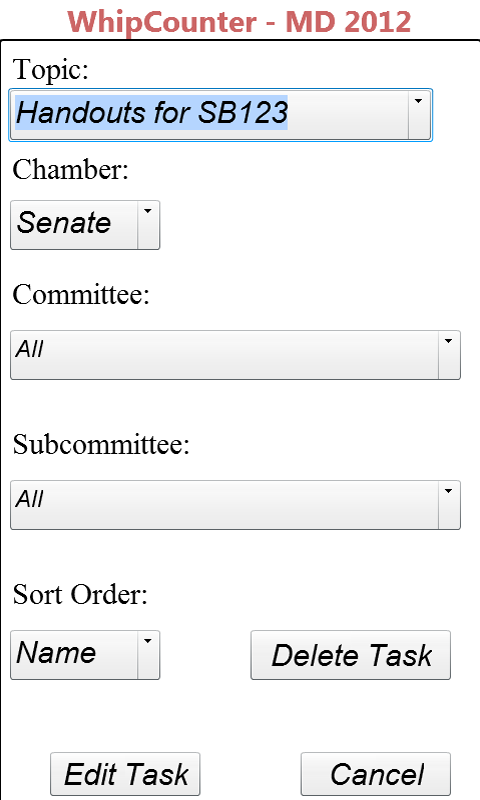
WhipCounter MD 2012’s add task screen allows you to create legislative tasks to track or edit them as they move through the process. The filters allow you to create legislation specific lists by chamber, committee or subcommittee. You can sort the list of legislators- either alphabetically or by room number. No more running up and down stairs! WhipCounter MD 2012 saves you time because it allows you to move efficiently from office to office.
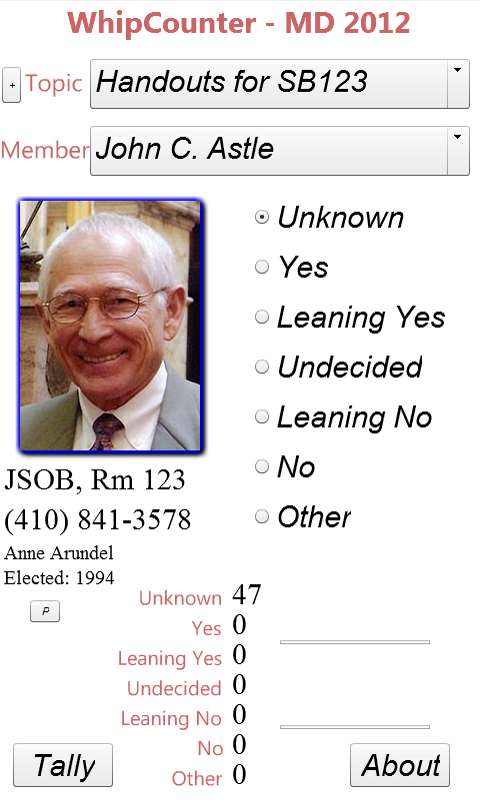
Once a task is added, you will automatically be sent to the main screen, where members’ positions can be recorded and automatically saved by tapping on yes, leaning yes, undecided, leaning no or other. Swiping the picture will move forwards and backwards between members or scroll through the list of members on the drop down menu to go directly to a different member.
The main screen will show you the:
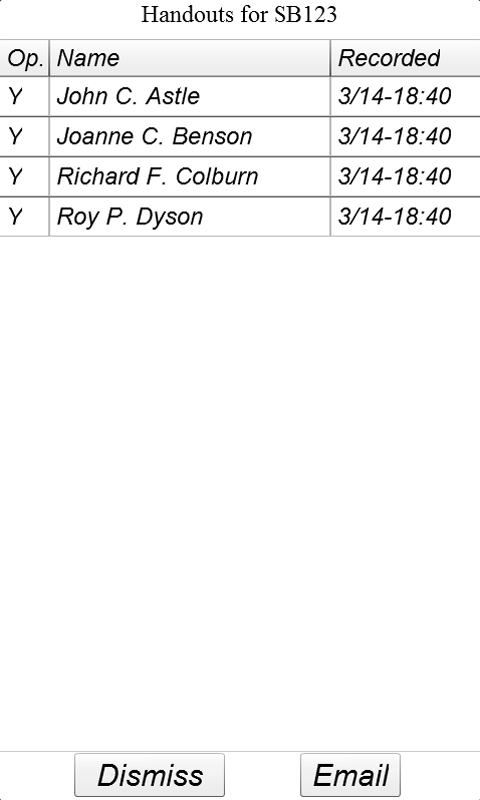
Pressing the tally button will let you see all of the votes that have been recorded and the time they were recorded. Pressing the column headings will sort the list by votes recorded, time stamp or alphabetical by member. The email button will allow the results to be easily shared with others in a format that can be copy and pasted into a spreadsheet (using the convert text to data function, and using a comma as the delimiter).
The “+” button allows you to add a new task, or adjust the filters or an existing task. You can also delete tasks from this view. There is no limit on the number of tasks you can create, but remember you only have limited resources on your device, so delete tasks when you are done with them (email yourself the final tally for a permanent record).
The “P” button lets you report a problem with the information on the selected person. It opens an email with information from the current screen. Just tell us what has changed, and we will supply an update. Elections will lead to the release of a new app, however. You can also use this feature to report any problems or feature requests you would like to tell us.
Main |
Add/Edit Task |
Tally |
 |
 |
 |
General Assembly Member images courtesy of the Maryland State Archives.
Contact support AT novacoda DOT com with any issues with your software.
Contact info AT novacoda DOT com with questions before purchase.
We attempt to respond to all inquiries within 2 business days (if not faster).
copyright 2012 NovaCoda